


Contact Us
Need help with an online order, showroom purchase, service request, or product question? Leisure Time is here to help. Contact our online support team for website orders, shipping, returns, Autoship, and Patio Perks, or reach out to one of our local showrooms for service, financing, delivery, installation, and in-store product support.
Online Order Support
Have a question about an online order? Our online support team can help with order tracking, returns, Autoship, Patio Perks, shipping questions, and products purchased through our website. You can reach the online team at (208) 973-1384 or hello@leisuretimeinc.com.
Local Showroom Support
Need help from one of our local showrooms? Contact your nearest Leisure Time location for showroom visits, service scheduling, financing questions, Valet Program details, delivery coordination, and local product support. If you would like to email the showrooms, please contact us at hello@leisuretimeinc.com and your request will be routed to your specified location.
To call one of our showrooms directly, select the location you’d like to contact below and tap the Call button.
Multi-column
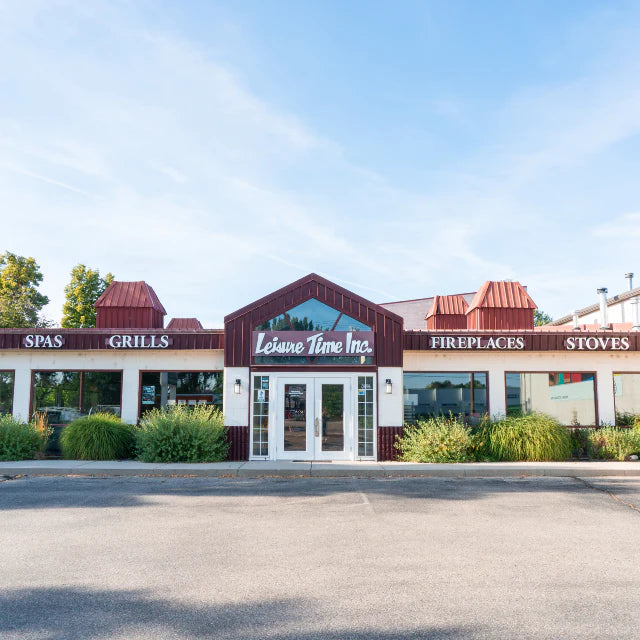
Boise Showroom
- Phone: (208) 376-0180
- Address: 9710 Fairview Ave, Boise ID 83407
- Service area: Boise, Eagle, Meridian, Caldwell, Middleton, Nampa, and the greater Treasure Valley.
- Year opened: 1993.
- The Boise location serves the Treasure Valley with the full Leisure Time Inc. product range, including hot tubs, fireplaces, saunas, grills, and pizza ovens.
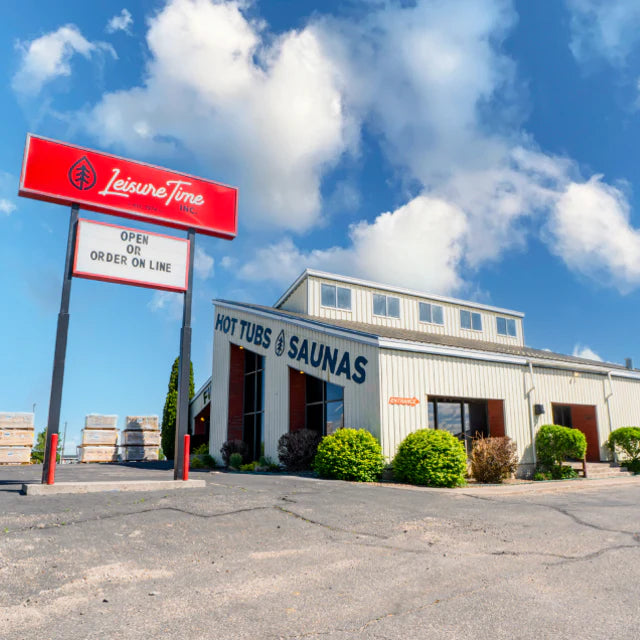
Idaho Falls Showroom
- Phone: (208) 523-4633
- Address: 2200 N Woodruff Ave, Idaho Falls ID 83401
- Service area: Idaho Falls, Rexburg, Driggs, Victor, Jackson Hole, Star Valley, and the surrounding East Idaho region.
- Year opened: 1974 (original location).
- The Idaho Falls showroom is the original Leisure Time Inc. location and the company's flagship store. It carries the full product line and serves as the primary service hub for East Idaho and western Wyoming.
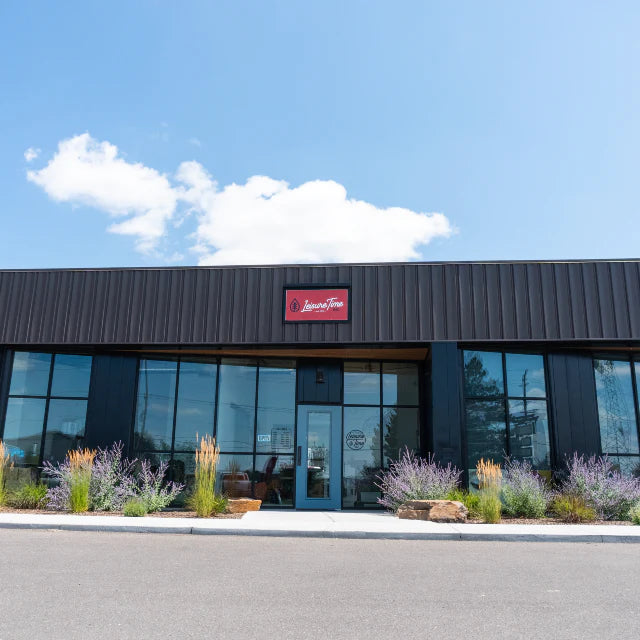
Twin Falls Showroom
- Phone: (208) 933-4295
- Address: 240 Eastland Dr suite #3, Twin Falls ID 83301
- Service area: Twin Falls and the greater Magic Valley region.
- Year opened: 2023.
- The Twin Falls showroom is Leisure Time Inc.'s newest location, expanding service into the Magic Valley with the same product mix and in-house service standards as the Boise and Idaho Falls stores.
Quick Links to Common Support Pages
- Order tracking: Track Your Order
- Returns: Start a Return
- Frequently Asked Questions: View FAQ
- Warranty claims: Warranty Information
- Shipping policy and rates: Free & Flat Rate Shipping
- Hazmat product returns: Hazmat Returns
- Hot tub water troubleshooting: Problem Solver Central
FAQ
Which location should I call for an online order question?
Idaho Falls —(208) 523-4633. The Idaho Falls team handles all online order fulfillment, tracking, returns, exchanges, and autoship management. They have access to your full order history and shipping status. The Boise and Twin Falls locations primarily handle showroom and local service.
Do I need an appointment to visit a showroom?
No — all three showrooms are open for walk-in visits during business hours. If you're coming specifically to test a high-end massage chair, see a particular hot tub model, or work on a complex hearth or sauna project, calling ahead lets us make sure the right team member and the right products are ready when you arrive. But it's not required.
How quickly will you respond to email or contact form messages?
We aim to respond within one business day. Phone is faster for urgent issues (broken equipment, delivery problems, service needs). Email is fine for general questions, product inquiries, or non-urgent matters. Please include your order number if your question is about a specific online order.
Can I schedule service at a specific location?
Yes. Call whichever showroom is closest to you to schedule service. Each location has its own service technicians and serves the surrounding area. If you're outside the immediate Idaho area but still in our service region, we'll work out the logistics — call any location and they'll route you appropriately.
What if I need a service tech outside Idaho?
Our in-house service technicians cover Idaho. For customers outside Idaho with hot tub or fireplace service needs, we recommend contacting the manufacturer's authorized dealer locator (Hot Spring, Caldera, Watkins Wellness, etc.) to find a certified technician in your area. We can help you identify the right manufacturer for your specific product if you're not sure.
Do you have showrooms outside Idaho?
Currently, no. Our three physical showrooms are all in Idaho — Idaho Falls (eastern Idaho), Boise (Treasure Valley), and Twin Falls (Magic Valley). Our online shop ships nationwide for water care chemicals, parts, accessories, and most other products. Larger items like fireplaces and massage chairs ship by freight throughout the contiguous U.S. — see our Shipping page for details.
Where can I leave a review?
We'd appreciate it. Visit our Leave a Review page for direct links to Google (the most helpful platform), Judge.me, Yelp, and other review sites. Reviews on Google for the specific showroom you visited help other local customers find us.
About Leisure Time Inc.
Leisure Time Inc. was founded in 1974 by Gary Olsen in Idaho Falls. The company expanded to Boise in 1993 and Twin Falls more recently — now the largest hot tub and hearth dealer in Idaho. The Wright & Mansfield familes carries on the original traditions and values today. Our service teams are factory-certified for the brands we carry (Hot Spring, Caldera, Watkins Wellness, and many others), and we ship water care products and accessories nationwide from our online shop.
Whatever you need help with — a product question, a service issue, a warranty claim, or just figuring out the right hot tub for your space — we're here to help. Pick the closest location or the one that handles your situation, and let's talk.